
CINETECHGEAR / PRACTICAL GUIDE
Creator Edition or Professional? Start with the shot.
A practical guide to choosing MiniCine: compact accents, tabletop work, interviews, changing color temperatures, and lights you need to control from a distance.
Updated October 17, 2026
Choose the control your setup needs.
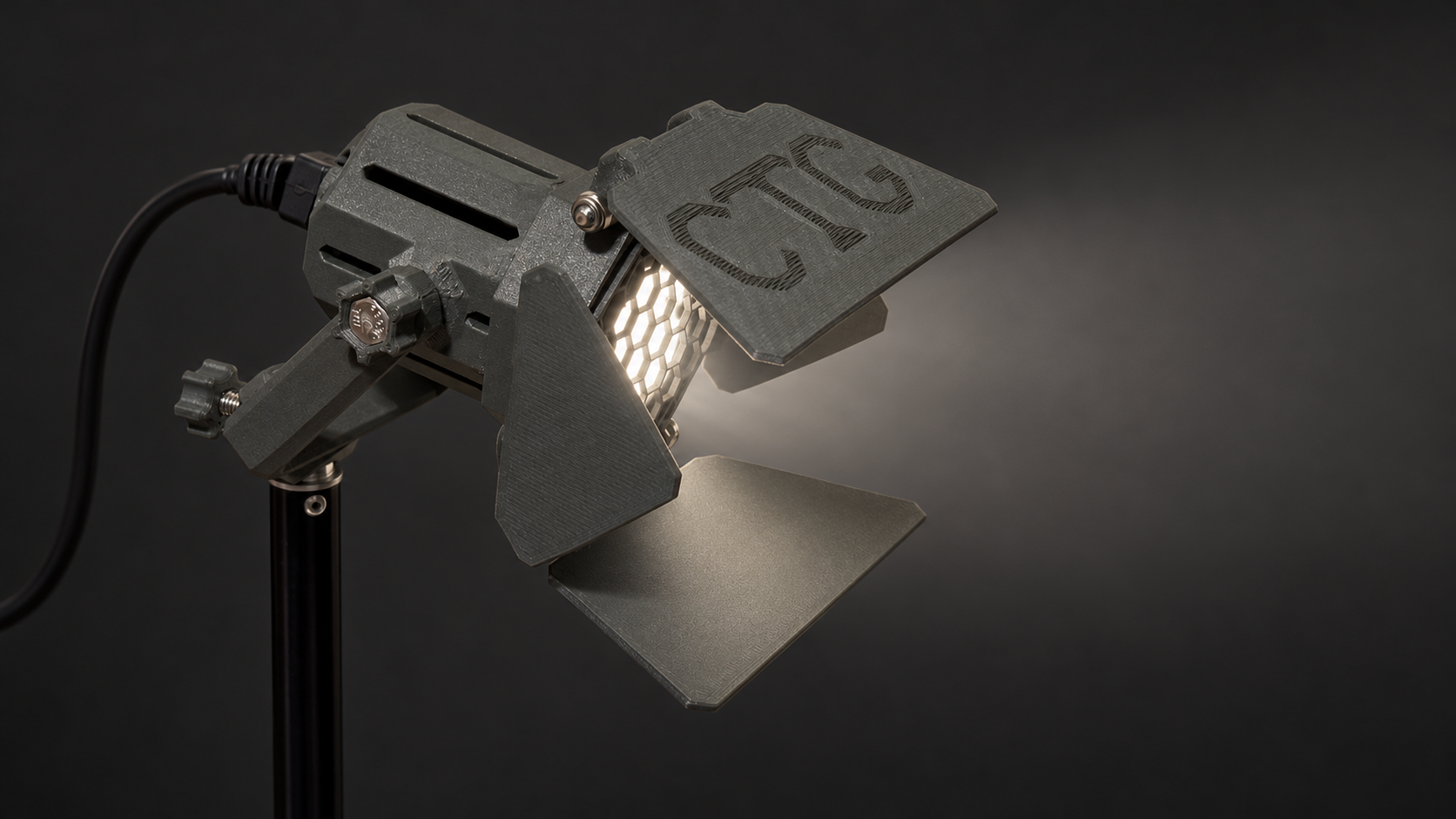
Creator Edition and Professional serve different ways of working. Creator Edition gives you three useful color-temperature settings and a choice of modifiers and mounts. Professional adds a continuous bi-color range, remote control, and a touchscreen. Choose around the way you need to adjust the light, the position it will occupy, and the job it has in the image.
A compact light can be an eye light, a hair or separation light, a small product light, or a controlled accent on a background. In a close tabletop or home-studio setup, it can also contribute to key or fill. Distance, diffusion, ambient light, and the size of the area you want to illuminate matter more than the edition name alone.
The editions at a glance.
| Your decision | Creator Edition | Professional |
|---|---|---|
| Color temperature | 3000 / 4000 / 5000 K, switchable | 2200–6700 K, continuously adjustable bi-color |
| Color rendering | 90+ CRI | 95+ CRI |
| Control approach | Select a bulb setting; choose compatible external control accessories | Remote control and touchscreen interface |
| Useful starting point | Accessible fixtures, desk and tabletop setups, accents with a fixed color setting | Mixed-light setups, intermediate color settings, fixtures that are difficult to reach |
| Power planning | Match the installed bulb and the selected 12 V accessory | Internal buck/boost conversion; final supply and connector specification to follow |
| Output, stock and ordering | Being confirmed; checkout is not open | Being confirmed; checkout is not open |
Creator Edition: set the look, then get on with the take.
The included bulb switches between 3000 K, 4000 K, and 5000 K, with 90+ CRI. That makes Creator Edition a useful starting point when one of those settings suits the scene and you can reach the fixture to set it up.
For a desk, tabletop game, workbench, or small product setup, start by deciding where the light should land. An eggcrate and retention ring give you a compact arrangement without barn doors. Doors add control over spill; diffusion changes the character of the light. For an interview or a presenter at a desk, a small light can add separation or a catchlight without taking over the room.
Creator Edition also suits portable setups where a small fixture and a deliberate choice of mounting and power are more useful than another large stand and lamp. Select the power accessory for the actual bulb and load; a USB power bank needs the correct adapter and enough output for the chosen configuration.
Professional: adjust the light to the scene.
Professional spans 2200–6700 K with 95+ CRI, remote control, and a touchscreen. Continuous color-temperature adjustment is useful when you need a setting between Creator Edition’s three choices, or want to move further toward a very warm or cool look.
Think of an interview in a room with practical lamps and window light, a close product shot where a small accent changes the surface, or a fixture mounted behind the subject or above the set. Remote control is especially useful when reaching the light would interrupt the setup. The touchscreen gives you local control when you are beside it.
Color temperature is one part of matching lights. Tint, the spectrum of other sources, camera white balance, and the subject still affect the result. A higher CRI specification is useful information, but it does not replace looking at skin, fabrics, and product colors through your camera.
Shape the source before adding more equipment.
Use barn doors to limit spill, an eggcrate to guide where the light travels, and diffusion when you want a different treatment of the source. A small diffusion attachment does not give you the same source size as a large softbox. For a broad, soft portrait key, plan the size and distance of the source as well as its output.
Standard-depth doors keep the fixture compact. The deep-door design makes room to close over a suitable eggcrate for transport. Keep the doors open while the light is operating. Current eggcrate revisions incorporate a rear filter holder and diffusion; some photographs and the original turntable film show earlier versions.
Build around the gear you already have.
Choose a mounting option that fits your existing stands, arms, and threaded supports. The Creator Edition range includes a 45° yoke and articulated mounting options using familiar baby mounts and 1/4″-20 connections. Check the specific adapter and connection on both sides.
A shared mounting standard is useful; it is not a promise that every modifier or power supply fits both editions. Check mechanical fit, voltage, connector, polarity, and available power for the complete configuration. Professional uses its own controls and internal power conversion, so Creator Edition’s inline dimmer and USB booster are not automatic Professional add-ons.
What still needs a measured specification?
We are confirming output measurements, final power-supply configurations, kit contents, prices, and availability before ordering opens. Older articles used different bulbs; their lumen figures, runtime claims, and fixed daylight or tungsten options do not describe the current Creator Edition. Professional’s LED specification is up to 16 W at 24 V; that is not a complete input-power specification for choosing a supply.
If you are planning a setup, start with the edition’s current product page and its listed companion parts. Exact output and compatibility details will be published with the final configuration.